Duofari and Safari, side by side.
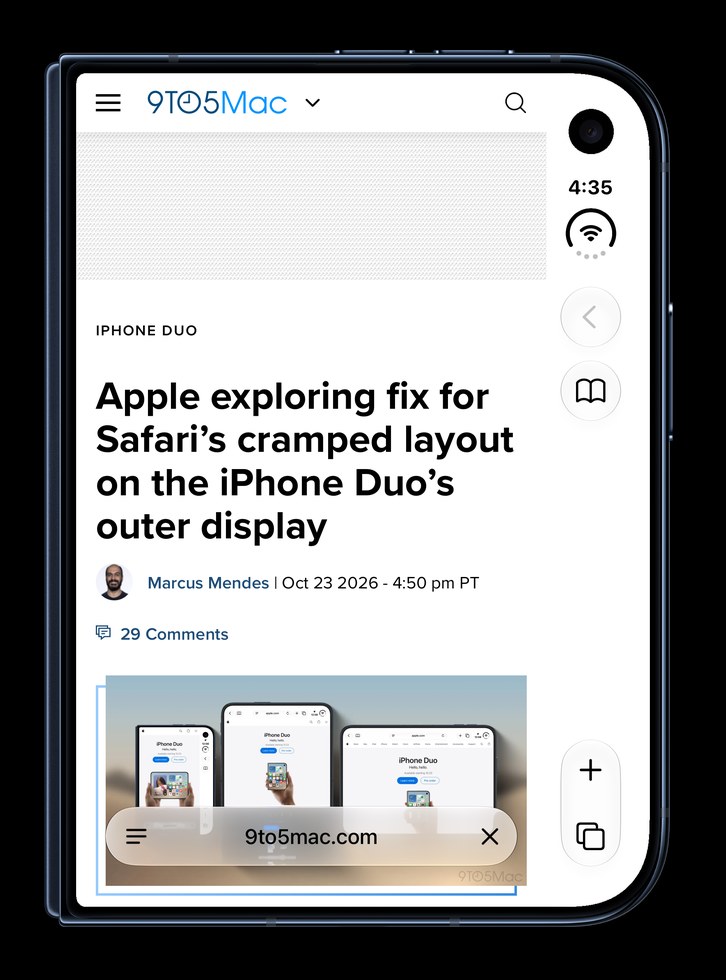
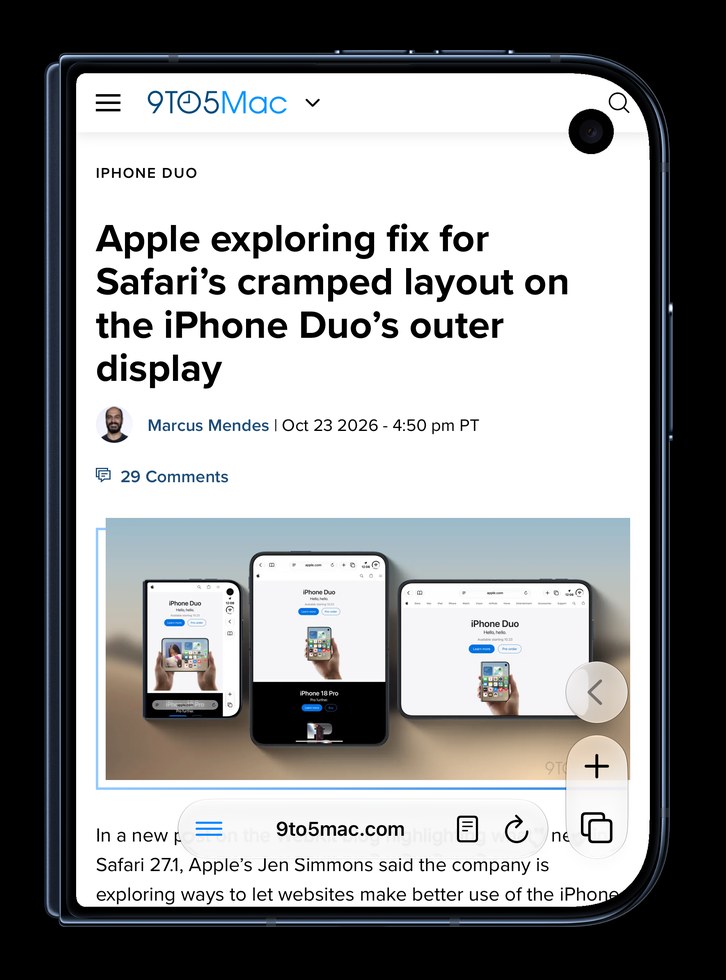
On the closed iPhone Duo, Duofari gives web pages the whole outer display. Safari keeps them beside a column for its controls, the clock and Wi‑Fi. Open, both give the page the inner screen, and Duofari keeps its controls low at the edge, under your thumbs. Both run on WebKit.
Closed: the outer display
With the Duo closed, Safari places the page beside its side column. Duofari turns that column off for its own window, so the page runs full screen, and its controls hide when you scroll down.
Open: where the controls are
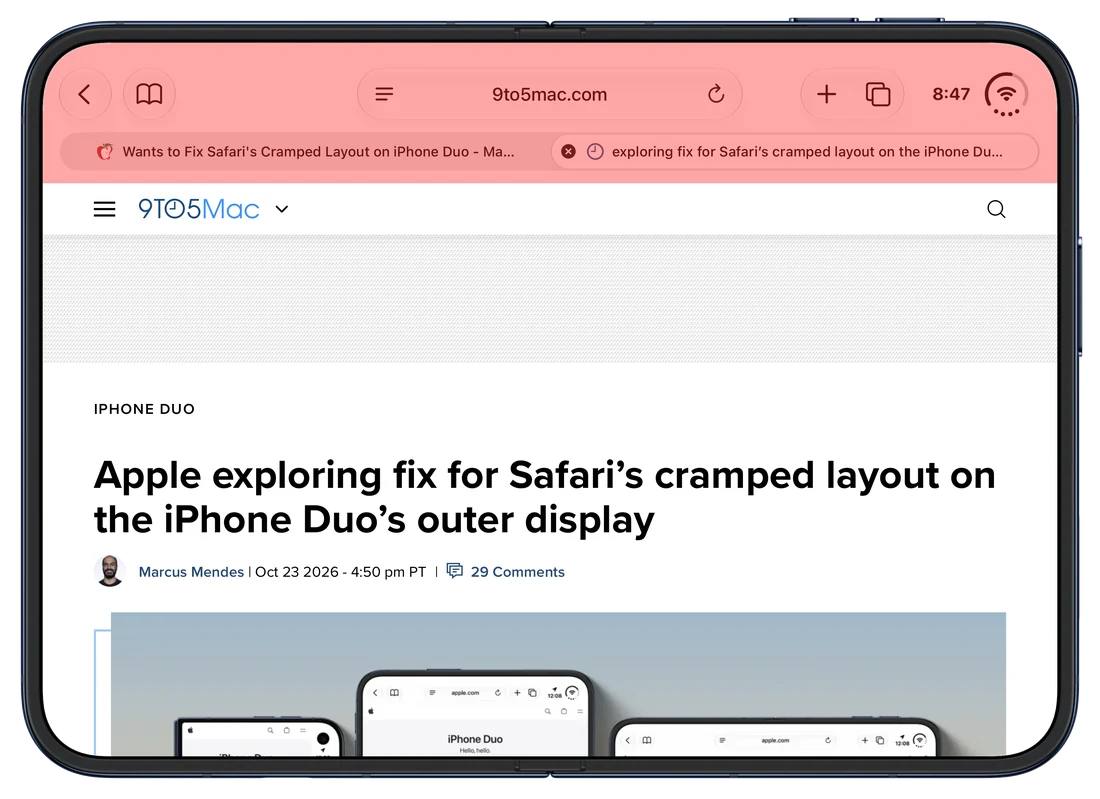
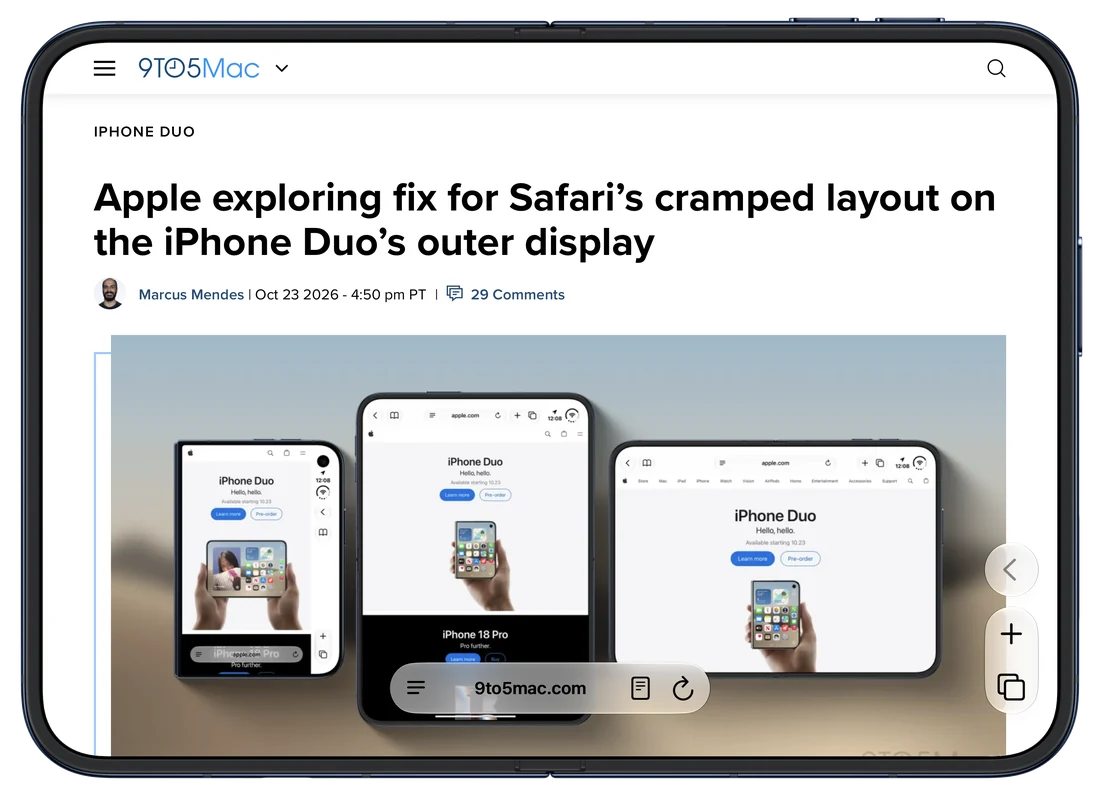
Open, both give the page the inner screen. Safari puts its address bar, tabs and buttons in a bar across the top. Duofari keeps back, new tab and the tab view low at the edge, where your thumbs already rest, with the address bar at the bottom.
Feature by feature
| On iPhone Duo | Safari | Duofari |
|---|---|---|
| Page width, closed | The page sits beside a column for the controls, the clock and Wi‑Fi | The whole width |
| Page width, open | The inner screen | The inner screen |
| Controls on the closed Duo while you read | Always shown, in the column | Hide when you scroll down; the address bar shrinks to the site's name |
| Controls on the open Duo | In a bar across the top | Low at the edge, under your thumbs |
| Site menus and the camera | Pages stay clear of the camera | Pages run under it; one tap on the camera button moves a site clear, and Duofari remembers it |
| Left‑handed layout | Controls on the right | One switch moves the controls to the left edge, tab view included |
| Ad and tracker blocking | With a content blocker from the App Store | Built in, off per site from the ≡ menu |
| Cookie banners | With an extension | Declined for you on most sites |
| Dark mode for every site | With an extension | Dark Pages, built in |
| Engine | WebKit | WebKit |
| Private tabs locked with Face ID | Yes | Yes |
| iCloud sync of tabs and bookmarks | Yes | No; import from Safari's export |
| Extensions | Yes | No; the essentials are built in |
| Default browser | Yes | Yes (Settings › Apps › Default Apps) |
| Price | Built in | 3 days free, then $0.99 once |
Where Safari is better
Safari syncs your tabs, bookmarks and history through iCloud with your other Apple devices, and runs Safari extensions. Duofari imports bookmarks and history from Safari's export, and builds the essentials in instead of taking extensions.
Where Duofari is better
On the closed Duo: the whole outer display for the page, controls that hide while you read, one tap to keep a site's menu clear of the camera, and a left‑handed layout. Open, the controls stay under your thumbs. Ad and tracker blocking, cookie banners and Dark Pages come built in, with nothing to install.

3 days free, then $0.99 once. No subscription.
Duofari is the full screen browser for iPhone Duo. Read why Safari extensions can't go full screen, or see the press kit.